GUIDE 01 · MRA REGISTRATION
Register your business with MRA.
Economic Operator registration, Test User access, OTP and your EBS: keep each step and each password separate.
- 1
Open the Economic Operator registration
On the MRA Secure Hub , find the e-Invoicing section and choose Register or Sign In as Economic Operator. The developer Sign Up option is for software developers, not this customer onboarding journey.
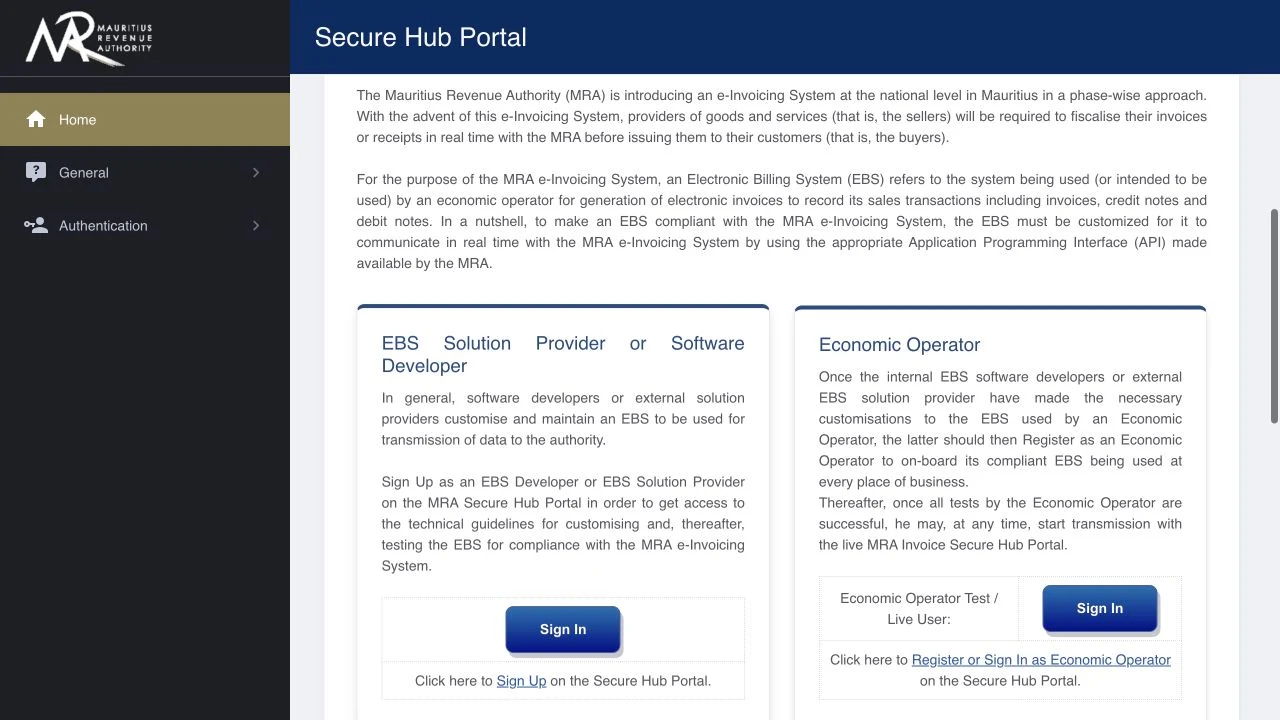
Actual MRA public screen. Use Economic Operator, not the software developer registration. - 2
Sign in with your company’s MRA access
Enter the company TAN and the password used for filing returns on MRA e-Services. Complete the verification shown on the official page yourself. If you cannot sign in, use the official Forgot Password link or contact MRA.
Open the official registration login
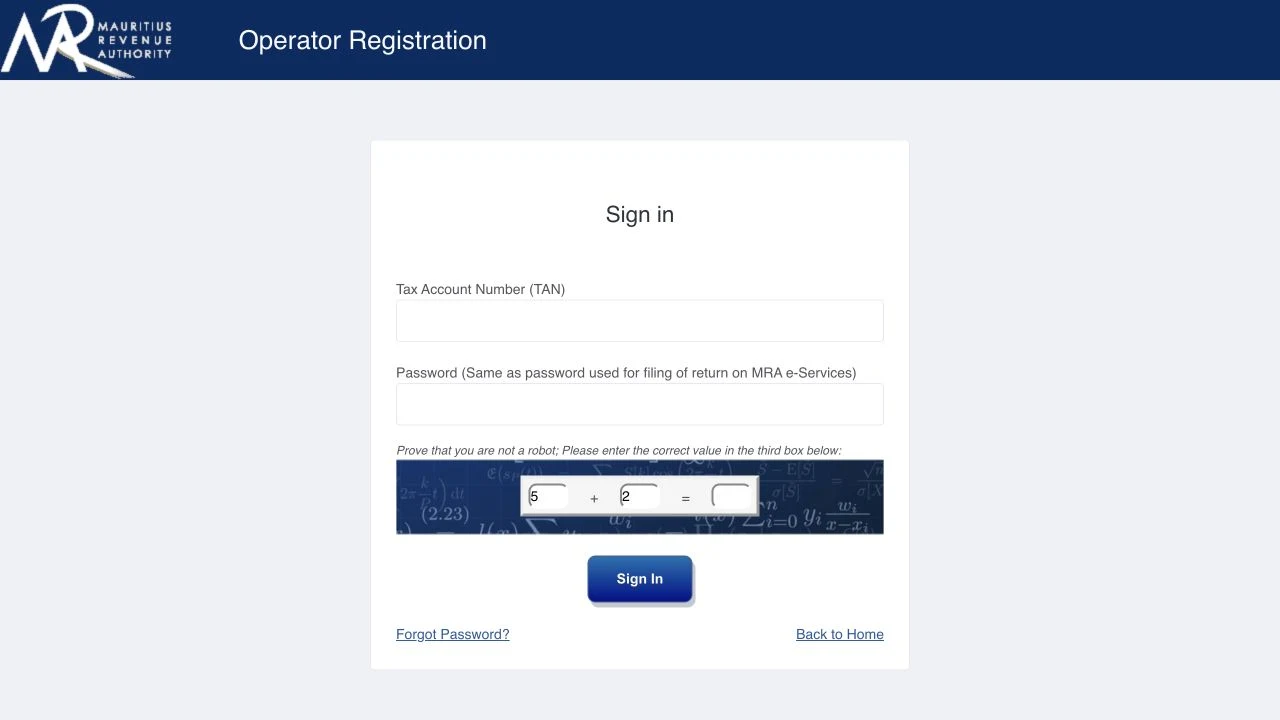
Actual MRA login screen. Enter credentials only on vfiscportal.mra.mu. - 3
Complete the operator and Test User details
Follow the registration screens for your company. Check the legal entity and nominate the authorised person who will carry out testing. Enter that person’s requested identity, mobile and email details accurately. Follow the portal’s instructions to obtain or set up the Test User username and password, and keep MRA’s confirmation.
The screens after sign-in are private and can vary. Use the current field labels and required details shown by MRA.
- 4
Complete the OTP verification
When MRA requests a one-time password, use the code sent to the mobile number or email address shown on that screen. Enter it in the MRA portal. If it expires, use the portal’s resend option and use the latest code. Check the registered contact details if it does not arrive.
- 5
Sign in as the Economic Operator Test User
Return to the Secure Hub and use Economic Operator Test / Live User: Sign In. Use the Test User access provided through your registration. Complete any initial portal-password step required by MRA. A portal-password change is different from a transmission-password change.
- 6
Register the EBS and retain its details
Follow the EBS registration/onboarding section available to your operator. Create the EBS record for the business and location you are setting up, using the product/provider information shown in einv.mu and the current MRA options. Save the assigned EBS MRA ID and area code. Obtain the Transmission User username and password from the portal.
Three logins. Three different jobs.
| Access | Where you use it | What it does |
|---|---|---|
| MRA e-Services | Economic Operator registration | Identifies your company for registration. |
| MRA Test User | Secure Hub Test / Live User sign-in | Manages EBS setup, testing and activation. |
| MRA Transmission User | einv.mu’s MRA access fields | Allows your configured EBS to transmit to MRA. |
| einv.mu account | app.einv.mu | Your own access to einv.mu and your company. |
The three MRA credentials are separate from your einv.mu account.
Sources & review
Prepared by Streak Technologies LTD. Reviewed 20 October 2026. MRA screens can change; follow the current portal instructions.
YOUR NEXT STEP
Your business. Your invoices.
Your next chapter.
Rs 850 / month · VAT included · Self-service