THE COMPLETE STARTER GUIDE
From registration to your first MRA invoice.
Keep this guide open in one tab and einv.mu in another. The numbered cards show what to do, where to do it and what you need before continuing.
Before you start
- Company legal name, BRN, TAN/VAT number and address
- MRA e-Services access for your company
- Access to the authorised contact’s phone and email for verification
- A logo for your documents and your payment instructions
- 1
Create your einv.mu account
Open einv.mu registration , enter your name and email, choose a password of at least 12 characters and acknowledge the self-service conditions. Confirm your email using the link sent to you. Use the built-in practice guide to learn the interface.
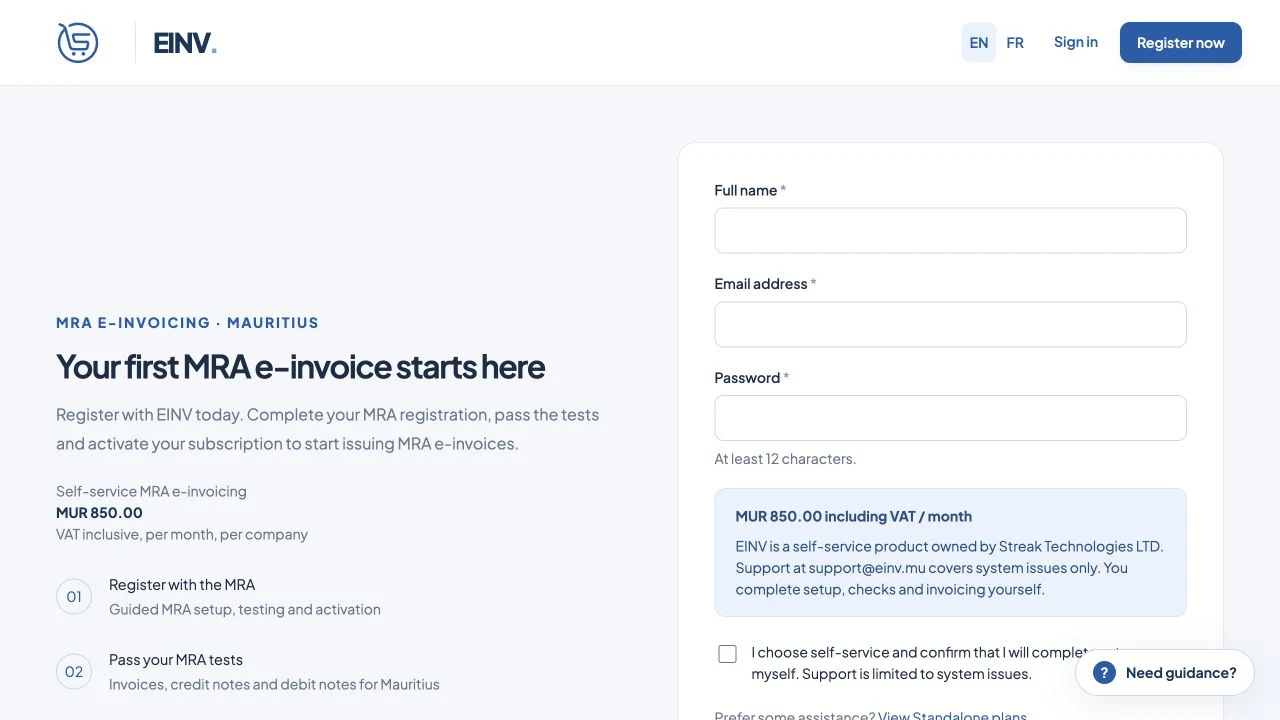
Actual public einv.mu registration screen. No account was created. - 2
Register as an Economic Operator
Use your company’s TAN and MRA e-Services password in the official Economic Operator registration portal. Complete your company and authorised contact details, the Test User setup and any OTP checks requested by MRA.
- 3
Create the EBS and collect your transmission details
Sign in with your MRA Test User access. Follow the operator onboarding screens to create/register the EBS for your business. Keep the EBS MRA ID, area code and Transmission User credentials ready. Use the details actually assigned to your company.
- 4
Enter your company and MRA details in einv.mu
In Company, enter the business details requested. In MRA access, copy your Transmission User username, password, area code and EBS ID from the MRA portal exactly as shown.
- 5
Run all seven MRA tests
Select Run checks and keep the page open. einv.mu shows whether each check is successful. Continue when all seven are successful. If a check fails, follow the message on screen and try again.
- 6
Complete activation in the MRA portal
Return to the MRA portal, check the completed tests and finish the EBS activation steps shown for your company. Then confirm that completion in einv.mu. Passing tests alone does not complete portal activation.
- 7
Set up documents and review payment
Upload your logo, review numbering and enter payment instructions. Choose the subscription and read the full total and renewal interval. Pay using an available payment method. Wait for einv.mu to show that your subscription is active.
- 8
Issue your first invoice
Add your customer, enter the items and tax treatment, review the totals and submit. Check the MRA result and download the accepted PDF.
Sources & review
Prepared by Streak Technologies LTD. Reviewed 20 October 2026. MRA screens can change; follow the current portal instructions.
YOUR NEXT STEP
Your business. Your invoices.
Your next chapter.
Rs 850 / month · VAT included · Self-service